Shipping 3


Shipping 3 Tab
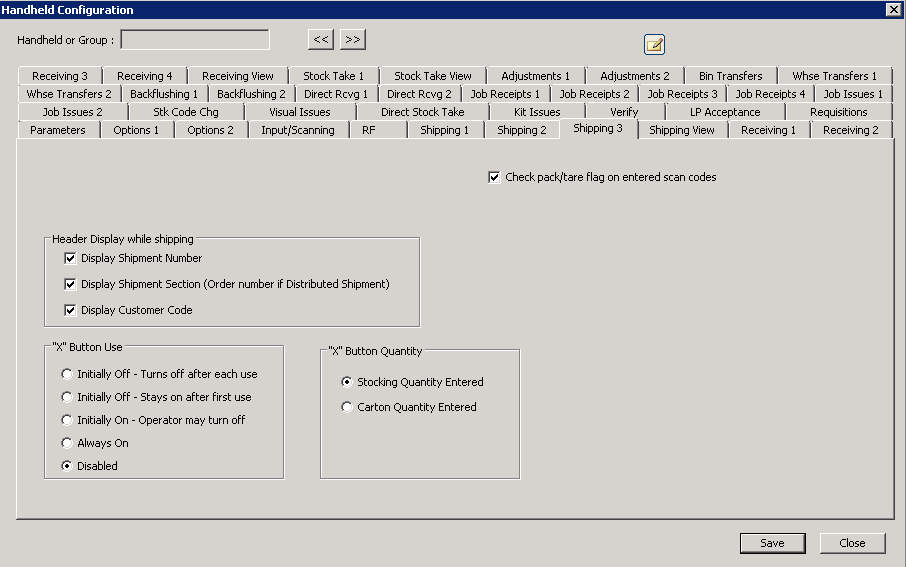
The following table outlines the prompts/options available when accessing this screen:
|
In the scan code database, there is an entry as to whether or not a particular scan is a full pack, a full pallet, or not. If this option is selected, the handheld will use that information, if it is not selected, it will ignore that information. |
Header Display while shipping This option determines what should be shown on the header of the screen |
|
|
|
|
|
|
|
"X" Button Use The "X" button on the handheld can be used as a multiplier when no entry fields are displayed or no quantity entry fields are displayed. For example, if pallet full of boxes, the "X" multiplier allows the handheld operator to scan one box and enter a multiplier rather than scanning all boxes on the pallet. After the button is tapped, the following selection determines what happens next: |
|
|
|
|
|
|
|
|
|
|
|
"X" Button Quantity |
|
|
Use the multiplication from the Cross-Reference table for stocking quantity. |
|
Use the multiplication from the Cross-Reference table for carton quantity. |


