Shipping 2


Shipping 2 Tab
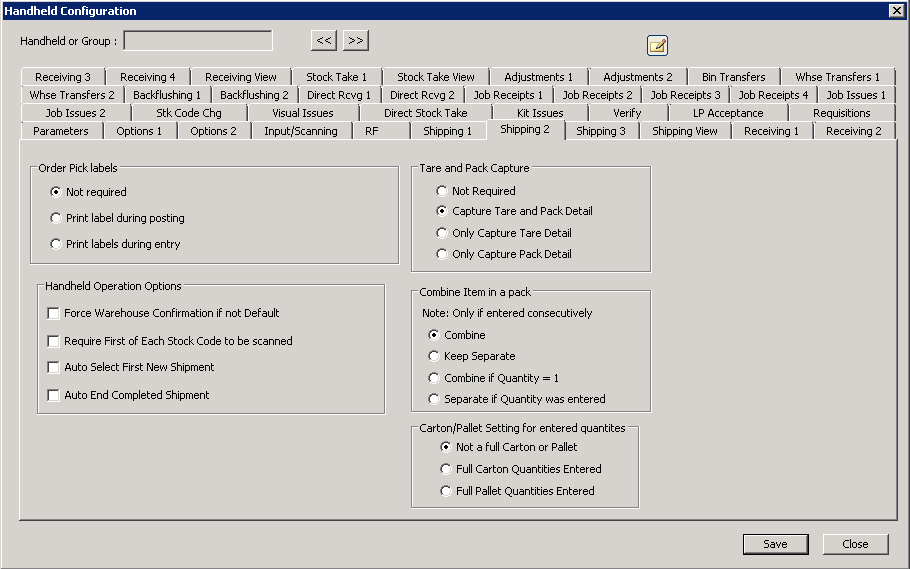
The following table outlines the prompts/options available when accessing this screen:
Order Pick labels This is a new label type and is not the same as shipping labels. |
|
|
|
|
Select to print when posting a final shipment |
|
Select to print immediately after each entry. |
Not used at this time |
|
Handheld Operation Options |
|
|
|
|
|
|
|
|
|
Tare and Pack Capture This option enables the tare or pack button on the handhelds. Note: the choice should match the tare and pack required options on the Shipping Station setup. |
|
|
|
|
|
|
|
|
|
Combine Item in a pack |
|
Note: Only if entered consecutively |
|
|
|
|
|
|
|
|
|
Carton/Pallet Setting for entered quantities If quantity is entered, the system will assume the following: |
|
|
The handheld operator must manually enter the pack or tare information |
|
Will close out the carton |
|
Will close out the pallet |


