Adjustments 2


Adjustments 2 Tab
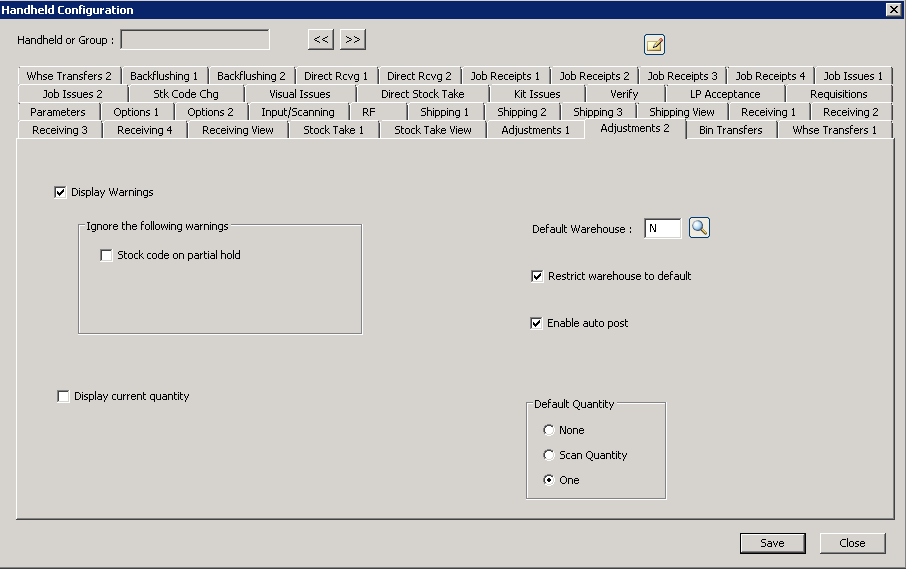
The following table outlines the prompts/options available when accessing this screen:
SYSPRO "warnings" prompt the operator and allow the operator to choose to continue; however, "errors" will stop the user and will not post the transaction. |
|
If this option is NOT selected, no warnings will be displayed and all warnings will be overridden (note: choose this option with care). |
Ignore the following warnings |
|
|
If this is selected, there are no errors, and if the indicated warning is the only warning-- the handheld will automatically resubmit the transaction and disable warnings to enable it to post. Note: the previous option to "Display Warnings" must be selected before this option will work |
|
If selected, the handheld will query the SYSPRO server to get and display the current quantity. The handhelds will attempt to avoid server round trips, or provide user options such as this one, to maximize time savings for the operator. |
Default Warehouse: |
If no default warehouse is selected, the operator must enter a warehouse. It a default is selected, the default will appear but the operator is allowed to override it, if desired |
|
If chosen, the warehouse will not be displayed on the screen to save time and screen space. This option can only be used if the above "Default Warehouse" is selected. |
|
In a typical handheld scanner sequence, multiple data is collected on multiple fields and the last button in the sequence is the "post" button. If this "Enable auto post" option is selected, when the last piece of information is entered and "post" is next in the sequence, the handheld will automatically perform a post without pressing the "post" button. |
Default Quantity Enables the handheld to automatically fill-in the quantity with some value when a stock code is entered. Note: this option can be used together with the "Enable auto post" to maximize efficiency for high-volume transactions, like serialized items, for example. |
|
|
No, do not fill-in a value. |
|
Automatically enter the quantity from scan code translation table when a stock code is entered. |
|
Automatically enter "1" as the quantity. |


