Parameters


Parameters Tab
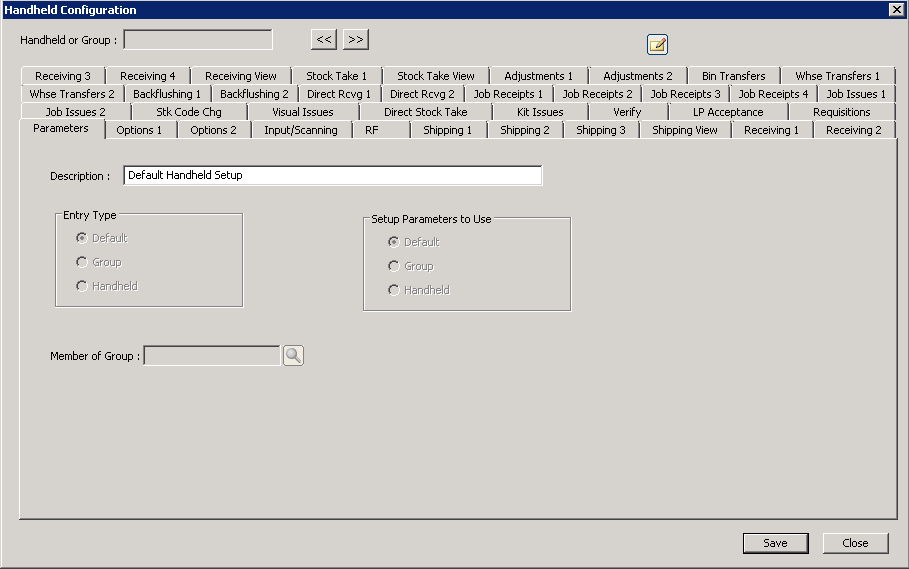
The following table outlines the prompts/options available when accessing this screen:
Description: |
The Parameters tab identifies how this particular group of choices applies for all tabs for this configuration window. |
Entry Type |
|
|
Recommended. This choice is the catch-all set from which handhelds will pull options when "Services--> Updated Settings" is selected on the handheld device. |
|
Choosing this option allows the company to group multiple handhelds together; for example, as in a particular warehouse group "A". |
|
This would enable options to be hand-entered on the handheld device, but when "Services--> Update Settings" are done on the handheld, configurations done on the server will override settings on the handhelds. The recommendation is to allow settings to be automatically created on the handheld by pulling from the "Default" ((preferred) or "Group" level. |
Setup Parameters to Use This choice defines which setup parameters the hendhelds will pick up. |
|
|
This is the preferred recommendation that enables changing all handheld configurations by changing only one set. |
|
Handhelds will pick up settings at the group level. |
|
This option is sometimes used to test via the Handheld on Windows application to avoid affecting all production handheld parameters. |
Member of Group: |
Only used for grouping handheld entry types. If groups are to be used for handheld configurations, create the group(s) first prior to creating configurations at the handheld level |


