Acknowledgment Information


EDI Acknowledgment Information Screen
This function is used to review whether documents have been acknowledged. This applies to both incoming and outgoing documents.
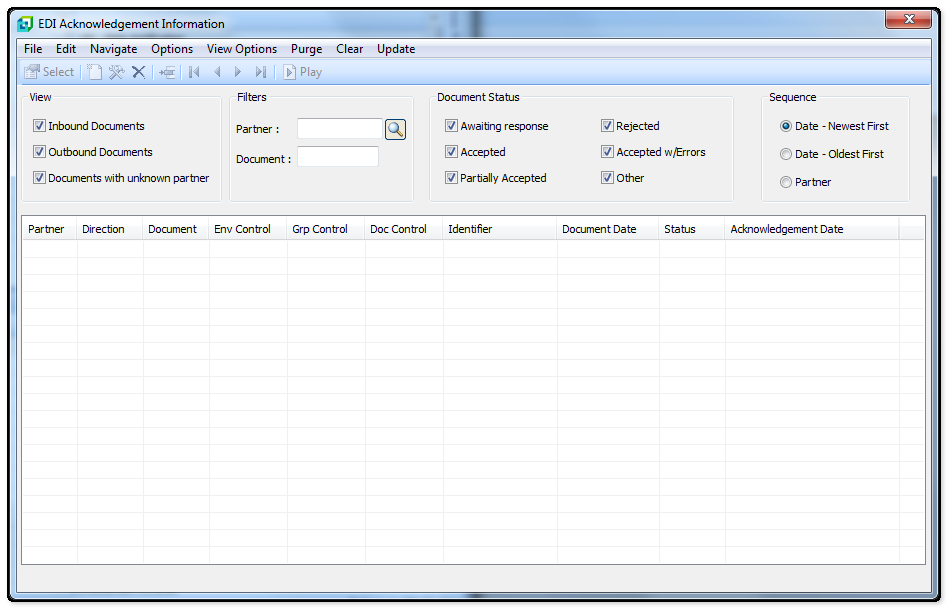
The following table outlines the prompts/options available when accessing this screen:
View |
|
|
|
|
|
|
|
Filters |
|
Partner: |
|
Document: |
|
Document Status |
|
|
|
|
|
|
|
|
|
|
|
|
|
Sequence |
|
|
|
|
|
|
|
List View |
|
Trading Partner |
This field will display the name of the Trading Partner on the file |
Direction |
The direction field displays whether the file is an Import or export |
Document |
The document filed display the Document Number |
ISA Control |
The ISA Control number for the file is displayed in this field |
GS Control |
The GS Control number on the file is displayed in this field |
ST Control |
This field displays the ST Control number of the file. |
Identifier |
This field display the Identifying number for the document (usually the PO Number, Invoice Number, etc) |
Document Date |
This field displays the date and time that the document was sent or received. |
Status |
The status of file (e.g. Acknowledged, Sent, Received). |
Acknowledgment Date |
The acknowledgment Date indicates the date the acknowledgment was received or sent. |


