Parameters


Parameters Tab
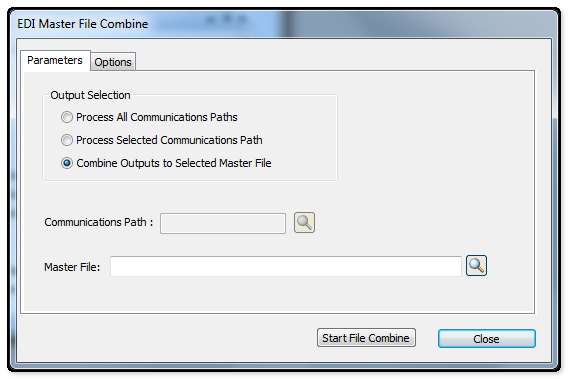
The following table outlines the prompts/options available when accessing this screen:
Output Selection |
|
|
Process All Communication Paths as defined in Cross-Reference/Communication Paths. |
|
This will activate the Communications Path field allowing an entry to be processed. |
|
When this option is selected, the Master File field will be activated. Either accept the default file or browse and select the required Output file. |
Communications Path: |
Used in conjunction with the Process Selected Communication paths option. Once this option has been selected, enter the Communication Path required. |
Master File: |
Used in conjunction with the "Combine Outputs to Selected Master File" option. Once this option has been selected, enter the master File path and name required. This will be the Master File crated from all the individual outgoing documents previously run and not yet processed. |


