Parameters


Parameters Tab
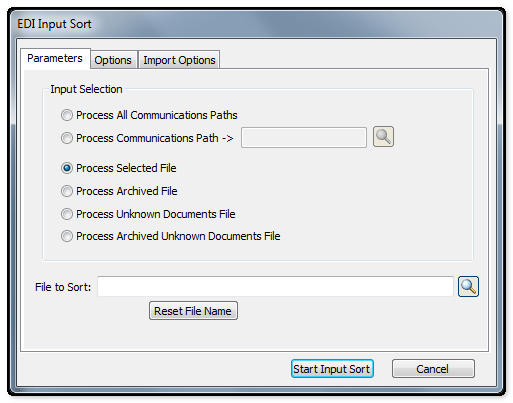
The following table outlines the prompts/options available when accessing this screen:
Input Selection |
|
Once the selection has been made, click the Start Input Sort button. |
|
|
Select to process all communication paths as defined in Cross-Reference/Communication Paths. |
|
Used in conjunction with the Process Selected Communication Paths option. Once this option has been selected, enter the communication Path required. |
|
When this option is selected, the "File to Sort' field will be activated. Enter or browse on the "File to Sort" browse button and select the file to be processed. |
|
The Archived Files List View screen will be launched when selecting this option. In order to run a file already archived, highlight and select the file. The selected file will be placed in the "File to Sort" field. |
|
Select this option to process the Unknown Document file. The path and file name as defined in the Input Sort Setup within the EDI System Setup for the Unknown Document file can be viewed int eh "File to Sort" field at the bottom of the screen. |
|
The Archived Files List View screen will be launched when selecting this option. In order to run an Unknown Document file already archived, highlight and select the file. The selected file will be placed int he "File to Sort" field. |
File to Sort: |
Used in conjunction with the Process Selected Input File option. Once this option has been selected, enter the full path to the file you want to sort. |
Reset File Name Button |
Click this button to reset the file name back to the default as set up in the EDI System Setup. |


