Carrier Service Zone


Carrier Service Zone
The purpose of the Carrier Service Zone in the Cross Reference Setup is used to setup the shipping zones for the various service types that are offered by a carrier. The data displayed is a system provided and is for informational purposed only. We do not recommend adding new records nor the editing of existing records except where indicated.
To populate the Carrier Service Information, select the "Import" function form the menu options. The system gives you the option to select the Import Zone file or the UPS Zones Downloads.
To setup the Carrier Service Zone, select:
EDI Menu > Setup Programs > Cross-Reference Maintenance > Carrier Service Zone
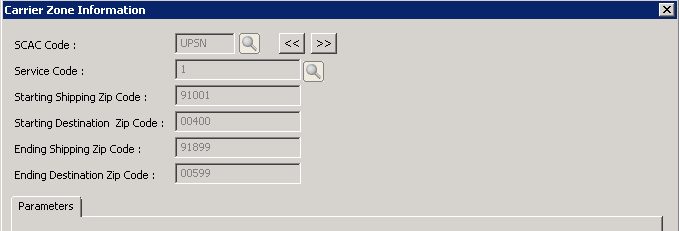
SCAC Code: |
Enter or browse SCAC Codes and select the applicable SCAC code for the carrier |
Service Code: |
Enter or browse Carrier Service Information and select the service code. |
Starting Shipping Zip Code: |
Enter the starting shipping zip code for this zone |
Starting Destination Zip Code: |
Enter the starting destination zip code for this zone. |
Ending Shipping Zip Code: |
Enter the ending shipping zip code for this zone |
Ending Destination Zip Code: |
Enter the ending destination zip code for this zone. |

